Company Laptop Procurement: Buy, Rent, or Lease?
Laptops are the work tool offices buy most, yet procurement decisions often look only at the unit price. Here is how to choose the scheme and specifications so the cost makes sense over 3–4 years of use.
When an office needs to add or replace laptops, the first question is usually "which brand and how much". The more important questions are: who uses it, for what work, and for how long. Those answers decide whether buying, renting, or leasing is better.
Buy, rent, or lease?
- Buy: the device becomes a company asset. Suitable when laptops are used for 3 years or more, IT can maintain them, and capital budget is available.
- Rent: a monthly cost without owning the device. Suitable for short projects, contract staff, training, or events.
- Lease: paid in installments and usually ownable at the end of the contract. Suitable when you want to protect cash flow but use the devices long term.
For government agencies, procurement follows budget rules and is usually a purchase, for example through an electronic catalog.
Specifications by role, not one for all
Giving everyone the same laptop looks simple but often overspends in one place and underdelivers in another. Group your users:
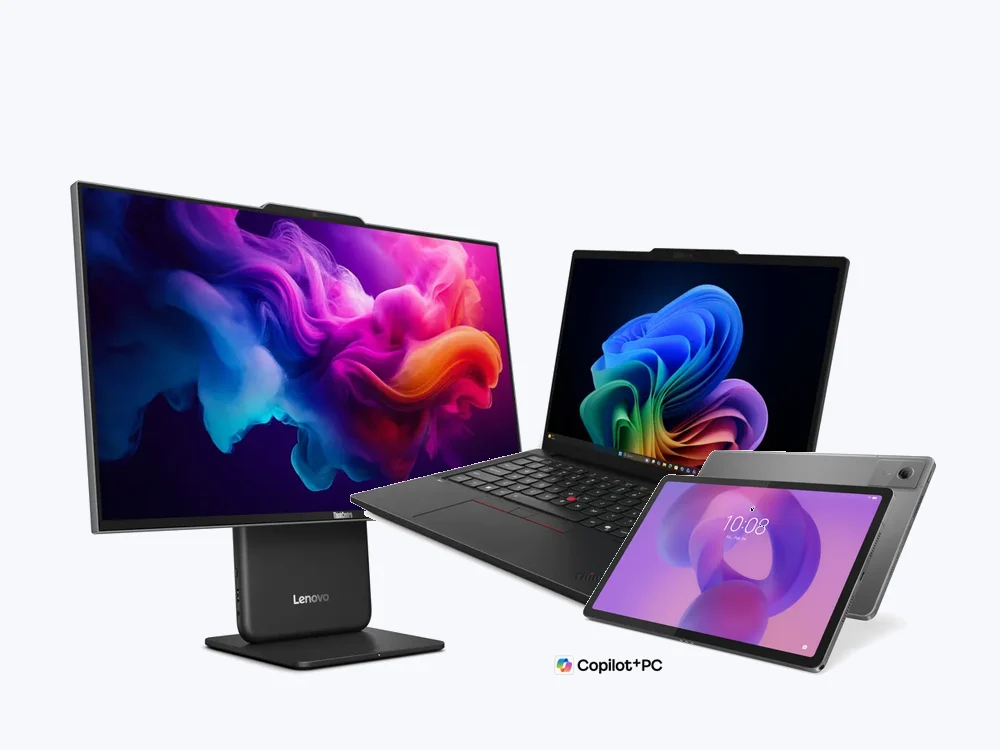
- Admin, sales, and general staff: a 14-inch business laptop such as the ThinkPad E series or ThinkBook is enough for documents, email, and online meetings.
- Finance and data entry: a 16-inch screen with a numpad speeds up spreadsheet work.
- Managers and IT: lighter, more durable models with enterprise security features, such as the ThinkPad T series.
- Frequently traveling executives: a very light premium laptop such as the ThinkPad X1 Carbon.
- Engineers, GIS, and design: a mobile workstation such as the ThinkPad P series, or a desktop workstation for heavy work.
- Field staff: often better served by a business tablet than a laptop.
Often-missed technical points
- RAM and SSD: too little capacity makes a laptop feel slow well before its time.
- Ports and connectivity: check needs for HDMI, LAN, and USB-A to avoid a bag of adapters.
- Battery and weight for users who move around a lot.
- Operating system and app licenses: make sure the edition and license type fit business use.
- Security: disk encryption, fingerprint or IR camera, and how devices are managed if lost.
Total cost, not unit price
Compare cost over the device's life, not just the purchase price. The components:
- Device price or the monthly rent/lease fee.
- Operating system, office apps, and antivirus licenses.
- IT time for installation and initial setup.
- Warranty, including whether service is on-site or carry-in.
- Out-of-warranty repairs and spare units.
- Data wiping and asset disposal at end of life.
Ready to use on arrival
Procuring dozens of units takes a long time if each laptop is prepared after it arrives. Ask the vendor to hand over devices with the operating system, standard apps, user accounts, and asset labels already in place, plus a serial number list for inventory.
Procurement checklist
- A list of users by role and the number of units.
- Minimum specifications per group, including RAM, SSD, and screen.
- Scheme: buy, rent, or lease, with the term.
- Warranty type and service response time.
- Setup package: OS, apps, accounts, asset labels.
- Delivery schedule, especially when staged across several sites.
- A plan for old devices: reuse, resale, or data destruction.
Sentra helps from needs mapping to ready-to-use handover. See our IT Procurement service and device catalog.
Tell us about the process. We'll help map out the most proportionate approach.