Public Service Kiosks for Public Service Malls (MPP)
A good kiosk cuts the confusion of unclear queues and speeds up staff. A bad one is just a dead screen in the corner.

In Public Service Malls (MPP) and other service offices, a kiosk usually has two jobs: issuing queue numbers and providing service information. Other functions, such as self-registration or satisfaction surveys, can be added once those two work well.
Which functions should come first?
- Taking a queue number per service type or agency, with an estimate of how many are ahead.
- Requirements and process information for each service, so citizens know which documents to bring before queuing.
- Calling and queue screens in the waiting area connected to staff counters.
- A short satisfaction survey after service is finished.
What does a clear queue flow look like?
- The citizen selects a service at the kiosk and prints or receives a number.
- The system assigns the right counter and shows the order on screen.
- Staff call, mark complete, or skip numbers that are absent.
- Waiting and service times are recorded for reports.
The data from the last step is most useful to leadership: which counters pile up, which hours are busiest, and which services need extra staff.
What equipment is needed?
- A sturdy touchscreen kiosk that is easy to clean, at a height comfortable for wheelchair users.
- A thermal ticket printer, or phone-based queue numbers to reduce paper.
- Queue screens and speakers in the waiting area.
- Staff devices at each counter to call and close numbers.
- A stable local network and backup power.
Accessibility and ease of use
Public service users are varied: the elderly, people with disabilities, and citizens unused to touchscreens. Use large text, high contrast and plain language. Provide a guide near the kiosk in the first weeks, and a help option for those who cannot use it.
Does it need to connect to other systems?
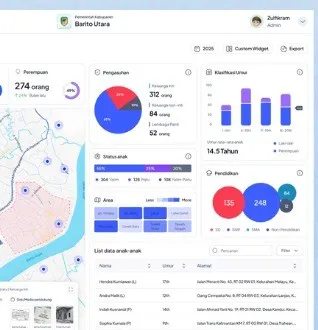
For an MPP with many agencies, integration helps: queue data to a leadership dashboard, satisfaction surveys to service reports, or website registration into the queue. Start with a stable standalone queue, then add integration in stages. A leadership dashboard example is in the Regional One Data article.
Daily maintenance
- An assigned staff member checks paper, ink and screens every morning.
- Routine cleaning of the touchscreen.
- A service contact with a written response-time target.
- Updating the service list and requirements when rules change.
Sentra supplies kiosks, queue systems and integration. See the kiosk product, government solutions and system integration.
Frequently asked questions
Can a kiosk replace information staff?
Not fully. A kiosk handles general questions and queues, but staff are still needed for special cases and citizens who need help.
What if the kiosk goes down?
Prepare a fallback procedure, such as manual queue numbers and staff at the door, plus a service contact with a response-time target.
Can queue numbers be taken by phone?
Yes if the system supports registration through a website or app. This reduces crowding, but keep kiosks for those without phones.
What queue data is stored?
Ideally only what is needed: number, service type and time. If names or ID numbers are collected, set the purpose and retention under personal data protection rules.
Tell us about the process. We'll help map out the most proportionate approach.